Until now, many document-signing workflows started with a Word-based template. That works well when you control the source document, but real business documents often arrive as PDFs: contracts, agreements, consent forms, onboarding documents, policy acknowledgements, order forms, and documents exported from other systems.
AuthorizeDoc now supports PDF-based document templates.
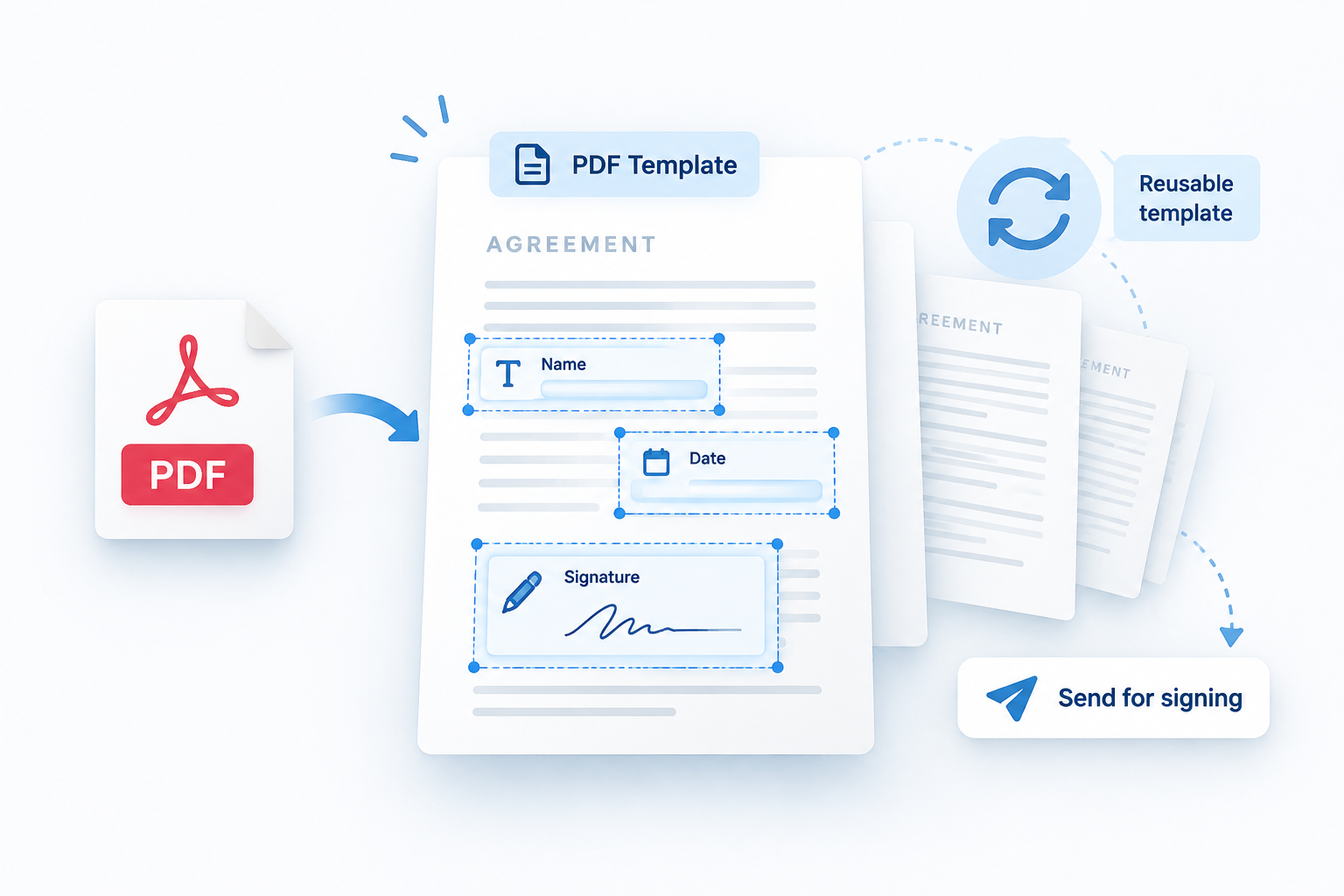
That means you can upload an existing PDF, place the fields that need to be filled or signed, and reuse that setup again and again. The goal is simple: if the document is already final as a PDF, you should not have to recreate it as a Word template just to collect signatures.
What the new PDF template feature does
With PDF templates, you can:
- Upload an existing PDF document.
- Add fields directly on top of the PDF.
- Position fields visually where the signer should complete them.
- Reuse the prepared PDF as a template.
- Send the document through the normal AuthorizeDoc signing flow.
- Keep the final signed document as a PDF.
This makes PDF templates useful for documents that already have a fixed layout or that come from another system where the original Word document is not available.
When to use a PDF template
PDF templates are a good fit when the visual layout is already finished and should not change.
For example:
- A standard customer agreement exported from another platform.
- A consent form designed by your legal or compliance team.
- A one-page acknowledgement that only needs a name, date, and signature.
- A partner or supplier document that is only delivered as a PDF.
- A government or industry form where the layout must stay exactly the same.
Instead of rebuilding the document, you can prepare the PDF itself for signing.
How this differs from Word templates
Word templates are still useful when the document content needs to be generated dynamically. If the text changes depending on the customer, language, product, or agreement type, a Word template can still be the better starting point.
PDF templates are best when the document is already fixed and you only need to collect information or signatures at specific positions.
In practice, many teams will use both:
- Word templates for generated documents.
- PDF templates for fixed forms and externally supplied documents.
A smoother workflow for existing documents
The biggest benefit is that PDF templates remove a common extra step. You no longer need to convert a finished PDF back into an editable document just to add signing fields.
Upload the PDF, place the fields, save the template, and send it when needed.
It is a small workflow improvement that saves time every time a document is reused.